mason-sprite.com

Sprite Sheet
Animation

Control sprite sheet animation frame-by-frame — play / pause / goToFrame in React, Vue, and Svelte. One PNG or WebP image, responsive sizing with rem / em / vw.

1 image · 10 frames · sprite sheet

1.

Frame Control with Sprite Sheets

When you need play / pause / goToFrame, an animated WebP <img> won't cut it — it loops natively but can't pause mid-animation or jump to a specific frame. mason-sprite drives each cell via requestAnimationFrame, so you can sync playback with app state, pause on interaction, or transition between animation sequences.

Also lighter — same WebP format

Animated WebP 110 KB
Sprite playback 49 KB

Sprite sheet source

The 49 KB file is a single 2 × 5 grid image — mason-sprite reads each cell as a frame and plays them in order.
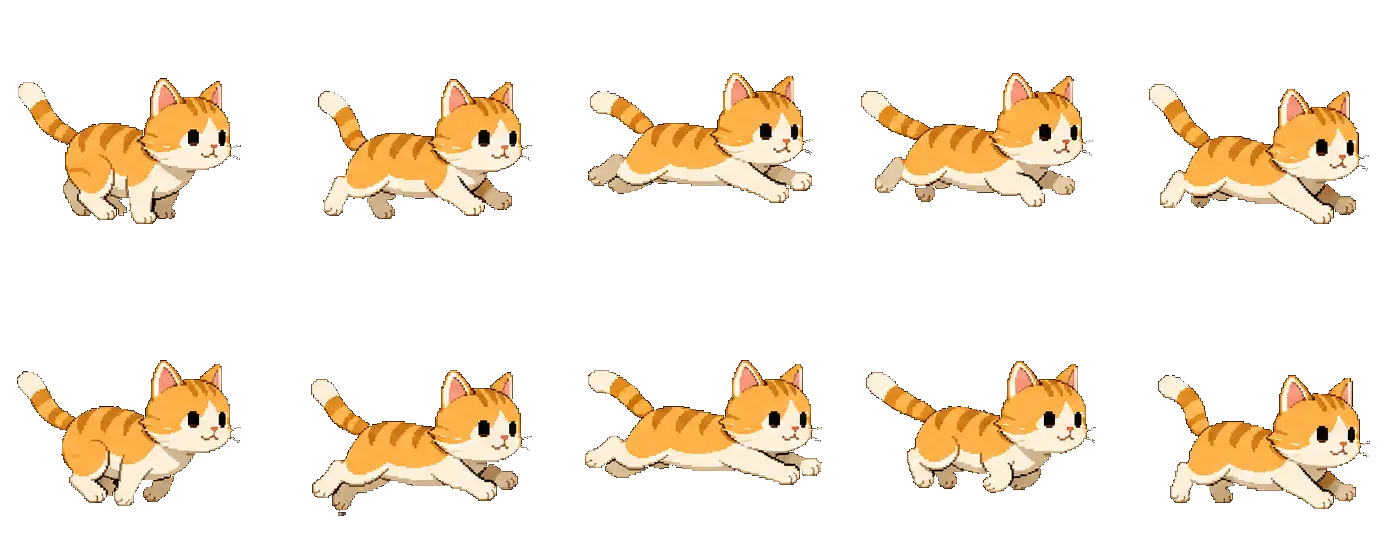
2 rows × 5 cols · 10 frames · one image

55% smaller — saves 61 KB for the same 10-frame loop

import { MasonSprite } from 'mason-sprite/react';

<MasonSprite
  src="/assets/img-cat-run-sprite.webp"
  rows={2}
  cols={5}
  fps={10}
  loop
  width="8rem"
  height="8rem"
/>


play · pause · goToFrame
2.

Sprite Sheet Playback

Define a grid with rows and cols — frames play left-to-right, top-to-bottom, exactly how artists export them. One image loads once; CSS or Canvas swaps frames without re-decoding an animation file.

PNG / WebP
3.

Dual Renderer

Choose CSS transform for compositor-friendly rendering, or switch to Canvas for pixel-perfect control. Same API, same props — pick what fits your project.

CSS · Canvas
4.

Framework-Ready

First-class components for React, Vue, and Svelte. Import from mason-sprite/react, mason-sprite/vue, or mason-sprite/svelte — each with idiomatic APIs and ref controls.

React · Vue · Svelte
5.

Playback Controls

Call play, pause, stop, goToFrame, and playSegment via component refs — or map named clips with animations and playAnimation. Set loop, fps, reverse, and size with rem, em, vw, and other CSS units.

play · pause · segments

USE CASE

Walk & attack from one sheet

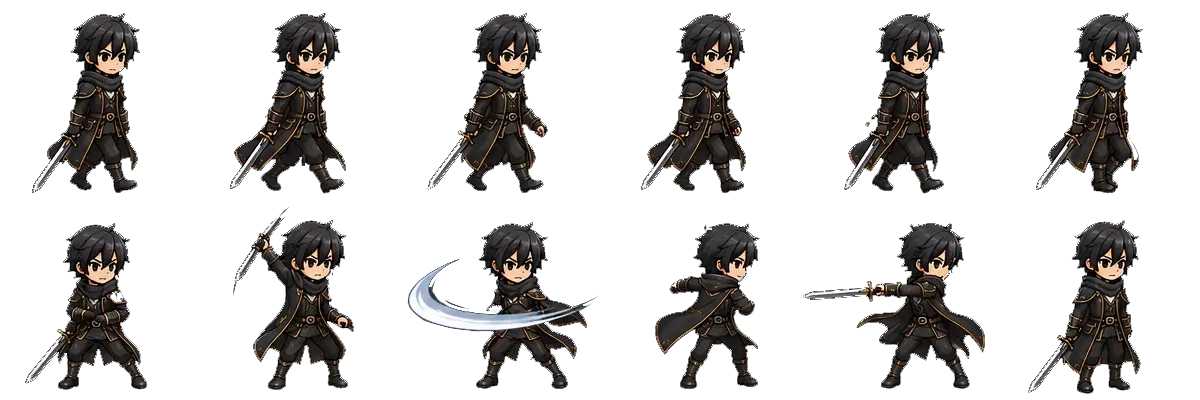
A single 6 × 2 sprite sheet holds two animation clips. Loop the walk segment by default, then switch to attack with playSegment — no second image file.

6 cols × 2 rows · 12 frames · walk 1–6 · attack 7–12

Frames 1–6 are the walk cycle; 7–12 are the sword swing. Call playSegment() to switch clips on the same <MasonSprite /> — ideal for character state machines in games and interactive UI.

const walk = { start: 0, end: 5, loop: true };
const attack = { start: 6, end: 11, loop: true };

ref.current?.playSegment(walk);    // default
ref.current?.playSegment(attack);  // on button press
ref.current?.pause();              // freeze frame

Sprite sheet source

One 6 × 2 image — frames 1–6 walk in the top row, 7–12 attack in the bottom row.

6 cols × 2 rows · 12 frames · 112 KB · one image

INTERACTIVE

Try it in Demos

Try play / pause / goToFrame and segment playback on a 10-frame cat sprite. Compare CSS and Canvas renderers in React, Vue, and Svelte.

npm install mason-sprite

Contact Us